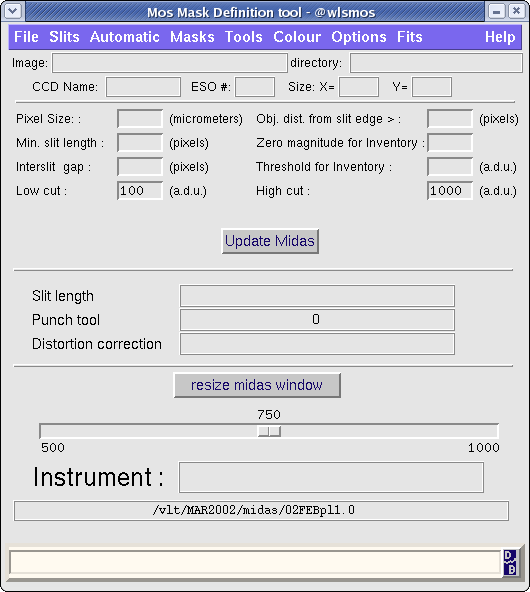
- Do rlogin on wlsmos as user mos3p6 passwd *******
- Get the target images via ftp to your directory
- Under same directory Type xm & to open the xmos panel
- Select menu bar Options and set Slit length, Punch Tool and Distortion Correction
- Selec menu bar Fits to load EFOSC*.fits images then rotate them by 90deg.
- If an Image cuts adjustment is needed use option under menu bar Tools
- Use menu bar Slits to select slits either on Cursor or Object or to delete some of them
- Move cursor on the midas image display to define slits position with mouse button1(left)
- To finish slits position definition press button2 then button3
- Select menu bar Masks and select option Show All and if everything is Ok use option SAVE MASK
- Select menu bar Fits and use option "Send Mask Files to mos@w3p6ins" to select the *.mask.
Files will be copied under directory /vltdata/tmp/EFOSC-MASKS
- Give to the day TIO:
- File name tables
- One xmos hard copy by table
- The working directory defined by the user on mos3p6@wlsmos to re-download tables in case of problems
|